Jenkins: The Ultimate Tool for Continuous Integration and Continuous Delivery (CI/CD)

Aspiring DevOps Engineer, Certified AWS Solutions Architect - Associate
Continuous Integration and Continuous Delivery (CI/CD) is a software development approach that aims to improve the speed and quality of software delivery. The CI/CD pipeline automates the process of building, testing, and deploying software, allowing teams to deliver new features and bug fixes quickly and efficiently. Jenkins is a popular CI/CD tool that is widely used in the industry.
In this blog, we will discuss the importance of CI/CD and why you should consider using Jenkins to implement it. We will also learn to use Jenkins for automating tasks from the point of a DevOps engineer.
Importance of CI/CD
Faster deployments or delivery: New features and bug fixes can be deployed quickly, allowing organizations to respond to customer needs and market changes more effectively.
Better Quality: Automated testing in the CI/CD pipeline helps to catch errors and bugs earlier in the development process, reducing the risk of issues being introduced into production.
Time-saving: By automating the build and deployment process, developers can get quick feedback to edit the code.
Improved Collaboration: CI/CD promotes collaboration between developers, testers, and operations teams, and improves communication.
Continuous Integration and Continuous Delivery/Deployment (CI/CD)

CI involves code changes--> build--> Test--> Immediate feedback--> Integration.

CD involves packaging--> deploying to staging--> approval--> deploying to production--> monitoring.
Continuous Delivery Vs Deployment
Deployments and delivery are two important terms in the software development process that are often used interchangeably, but they have different meanings.

Delivery refers to the process of moving software from development to production, while deployment is the process of making software available for use by end users. CI/CD pipelines automate both delivery and deployment processes for efficient software delivery.
What is the CICD pipeline?
A CI/CD pipeline is a series of automated stages that software code goes through to be delivered to end users. It involves building, testing, and deploying code changes automatically, with each stage being triggered by specific events, such as a code commit or successful completion of a previous stage.

The goal of a CI/CD pipeline is to streamline the software development process and ensure that code changes are delivered to users quickly, reliably, and with high quality, which can significantly reduce the time and effort required to deliver software updates.
What is Jenkins?
Jenkins is an open-source automation tool used for implementing Continuous Integration/Continuous Delivery (CI/CD) pipelines.

It enables software teams to automate the process of building, testing, and deploying code changes, making the software development process faster, more efficient, and more reliable.
Why use Jenkins?
Open-Source and Free
Extensive Plugin Library to integrate with other tools and services, such as Git, AWS, and Docker.
Easy to Use and Scalable
Active community of users and contributors, providing support and resources to help users get the most out of the tool.
Now Let's start with Jenkins--->
Install and setup Jenkins
Check this blog ---> Install Jenkins
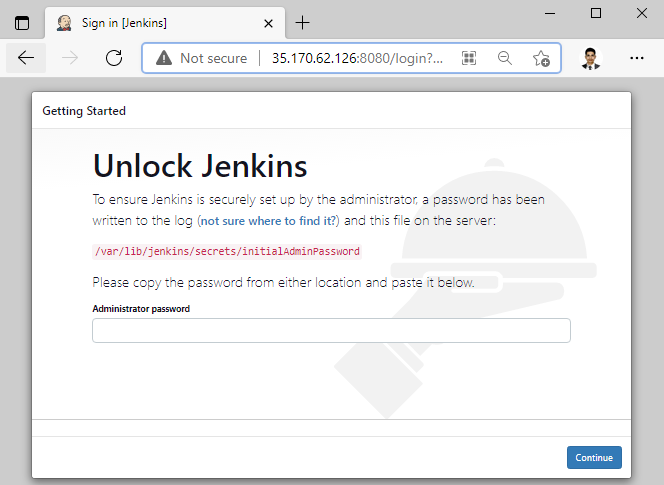
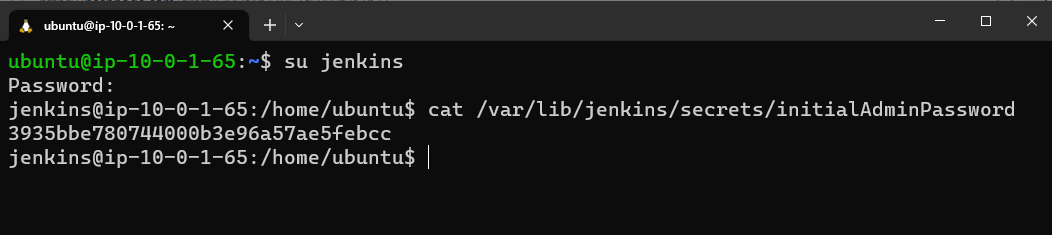
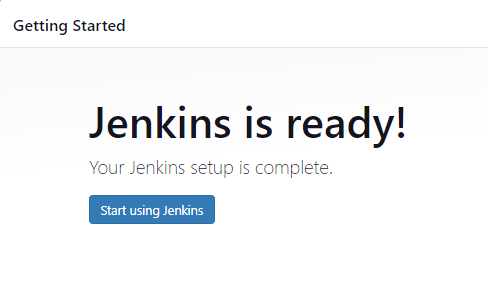
Setup the Jenkins--->
Check your Jenkins is installed successfully:

Access your Jenkins at http://localhost:8080/


Create your first Jenkins job


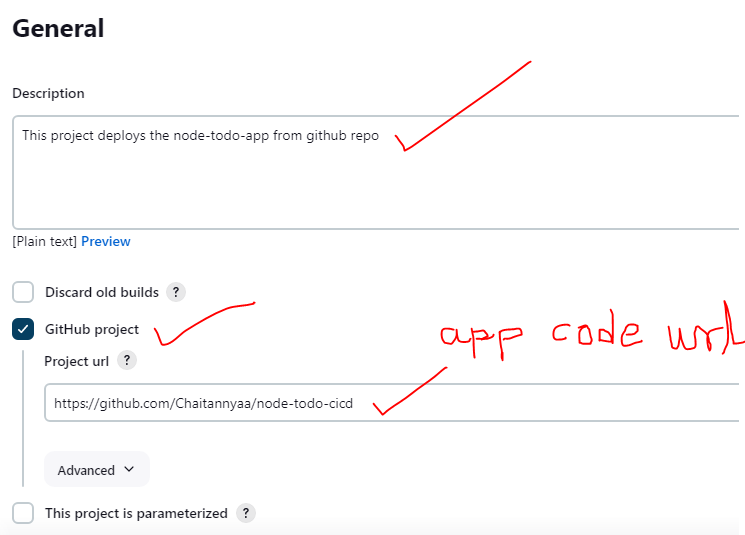
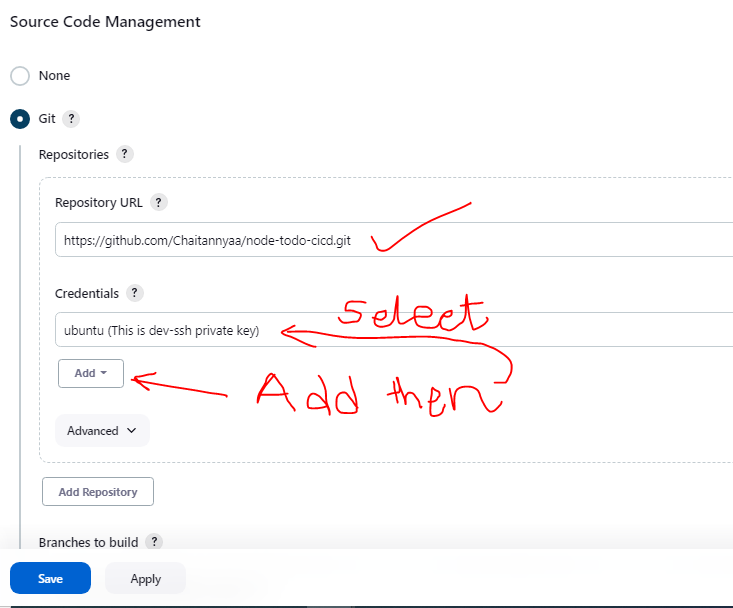
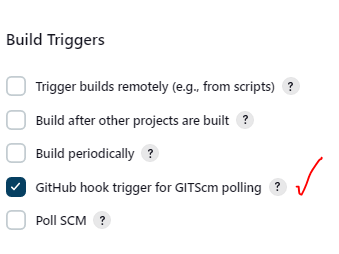

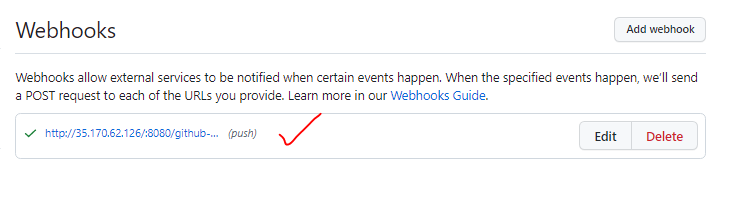
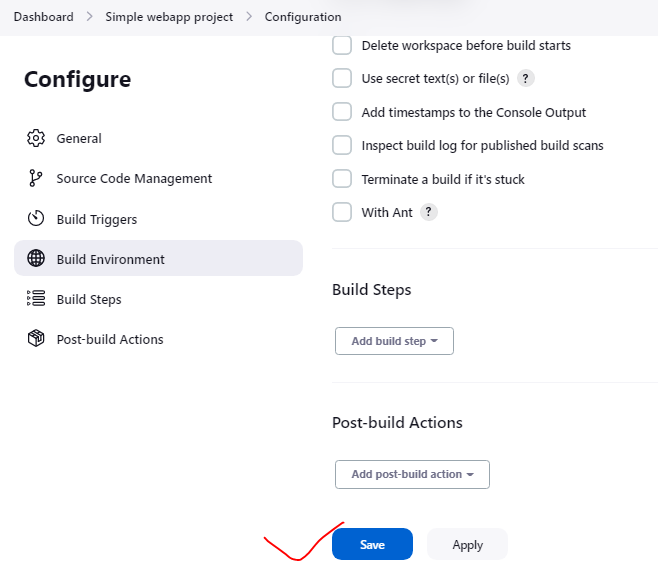

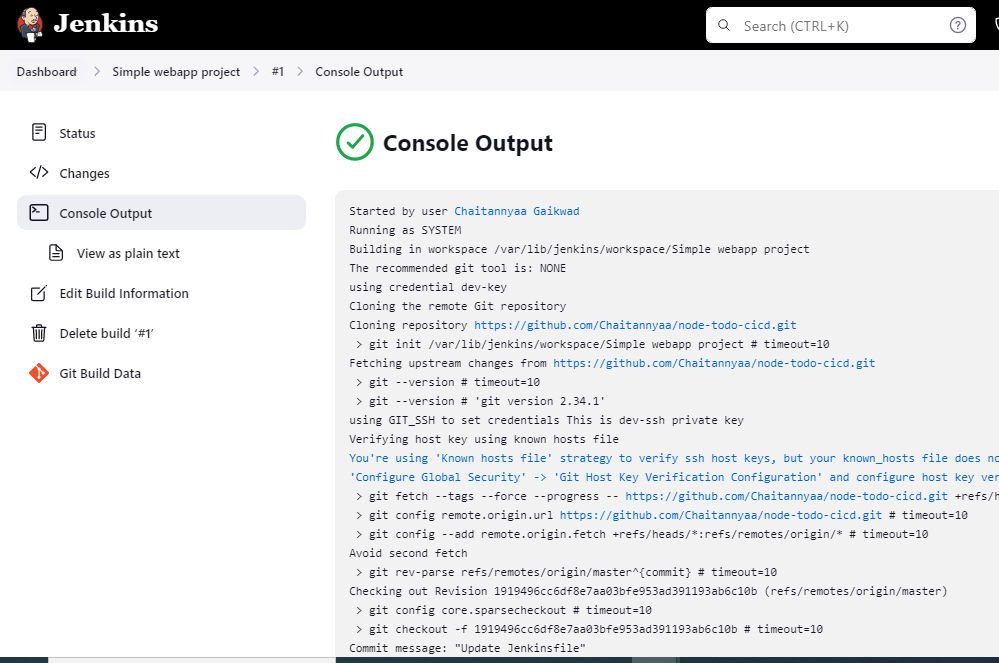
Now let's deploy an app from the source code.
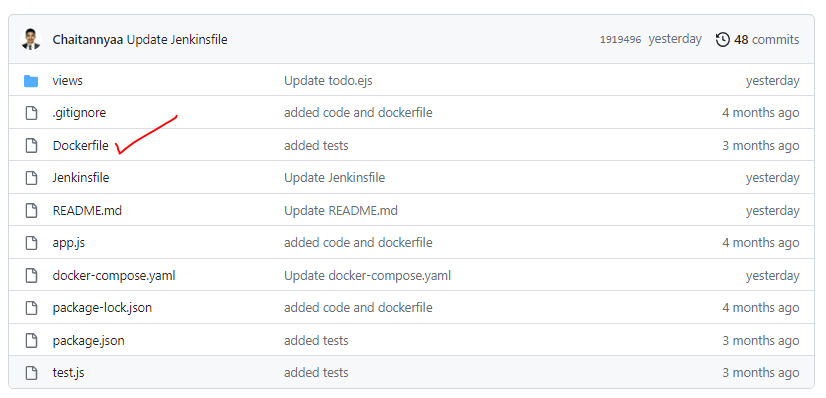


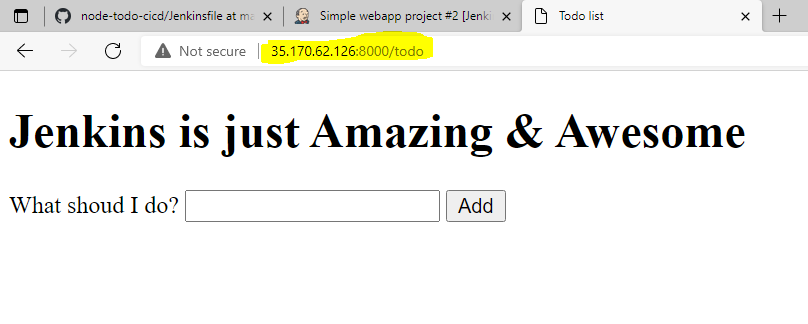
Let's do some changes to the GitHub repo and commit. then check app is running with changes or not.


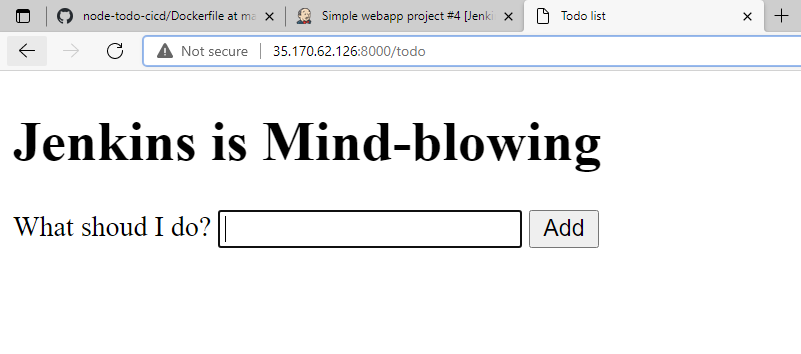
This is how Jenkins can automate your code Build-Test-Deploy the application.
Summary:
In this blog, we discussed the importance of implementing Continuous Integration/Continuous Delivery (CI/CD) pipelines in software development and the role of Jenkins in automating the process of building, testing, and deploying code changes. CI/CD pipelines enable faster deployments, better quality, time-saving, and improved collaboration.
We also learned the difference between delivery and deployment and the concept of a CI/CD pipeline. Then we discussed the benefits of using Jenkins, such as its open-source nature, extensive plugin library, ease of use, and scalability, and provided a step-by-step guide to setting up and deploying an app using Jenkins. By using Jenkins, software teams can streamline their development process and deliver code changes to end-users quickly and reliably.
I hope you learned something today with me!

Stay tuned for my next blog on the "Jenkins Pipeline Project". I will keep sharing my learnings and knowledge here with you.
Let's learn together! I appreciate any comments or suggestions you may have to improve my blog content.
Thank you,
Chaitannyaa Gaikwad


